


Knowing when administrators are logging into your FortiGate firewalls is critical. If notification is not enabled a compromise could be missed. Email notifications can be sent directly from the FortiGate via an automation stitch, but it lacks the filtering capabilities of FortiAnalyzer. When using the FortiGate automation stitch you will also receive notification every time an admin opens the CLI widget. This can generate a lot of notifications and may start to contribute to alert fatigue. Utilizing a FortiAnalyzer Event Handler allows you to create one handler for all FortiGates in your environment as well as add filtering to reduce noise. FortiAnalyzer Event Handlers can be created for any type of traffic, security, or event log. They can even be used for 3rd party devices added to FortiAnalyzer via Syslog. I’ll have several other posts showcasing the power of Event Handlers but for now let’s get started!
Create a FortiAnalyzer Event Handler
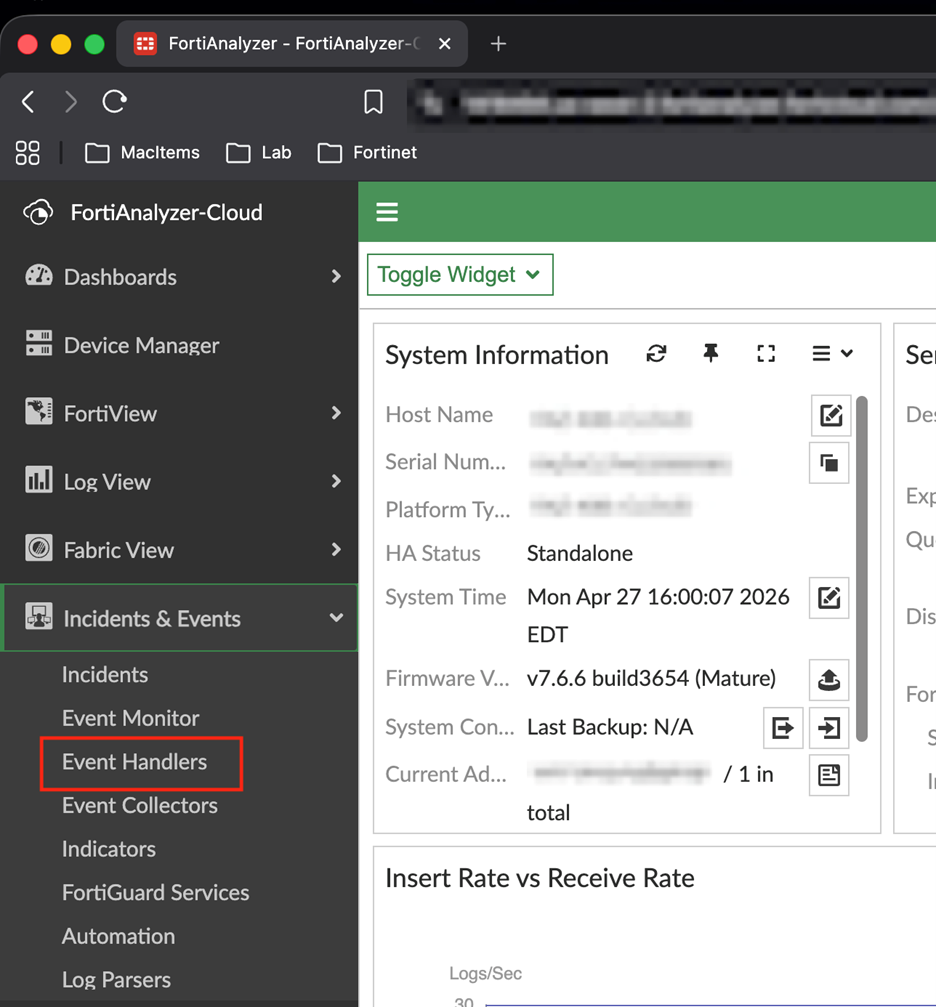
Navigate to Incidents & Events > Event Handlers
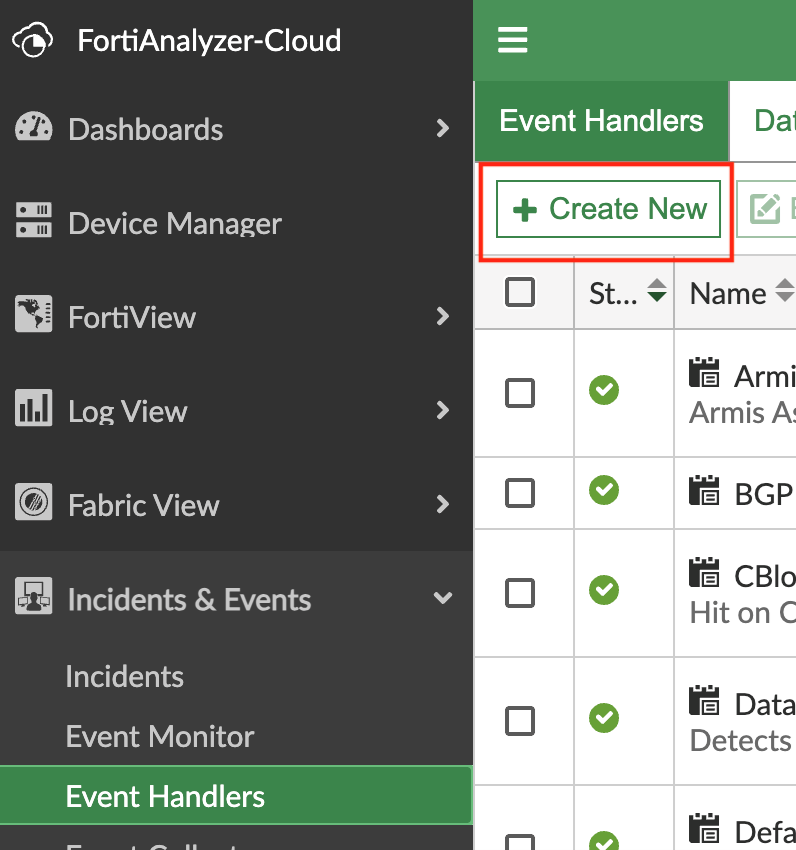
In the Event Handlers page you will see all of the prebuilt event handlers that are included in FortiAnalyzer. Click Create New to start creating the handler.
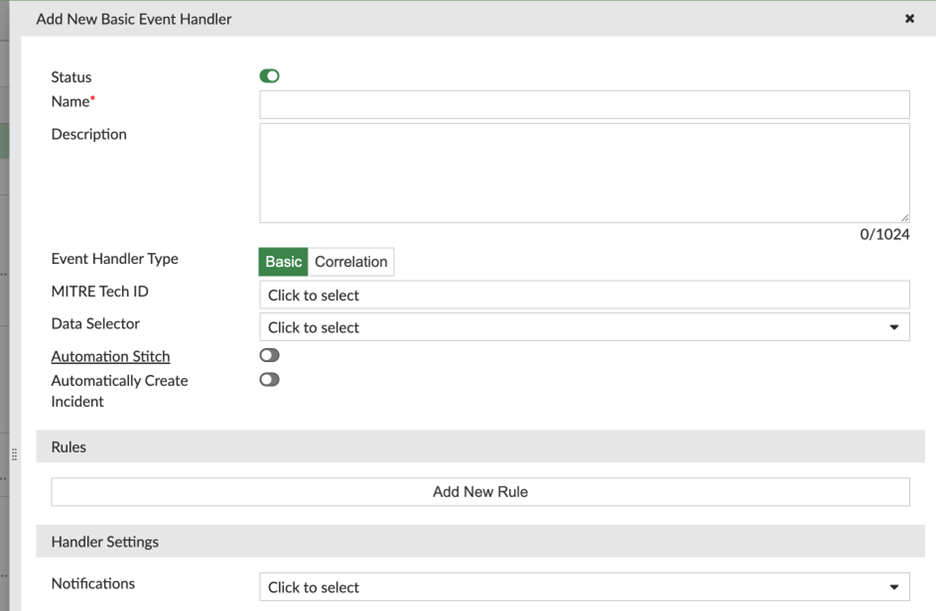
Enter a name for your handler and then click Add New Rule to create the rule for the handler.
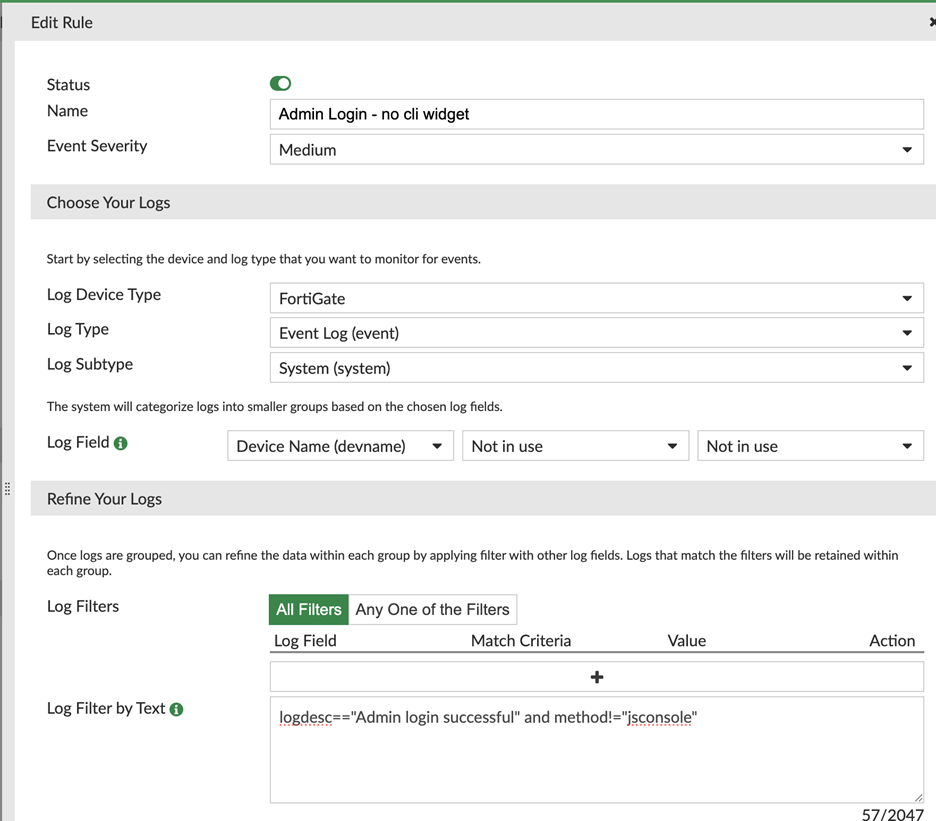
In the rule popup add a name and choose your severity that makes sense for your environment. I use medium as these should be routine events but due to the fact there could be unexpected logins it exceeds the low level. Next, choose the logs – for admin login events they appear in the FortiGate Event Logs under the System subtype. I choose to sort by device name; this is how the event will be organized in the monitor in FortiAnalyzer.
Finally, for filtering the logs use the text filter
logdesc==”Admin login successful” and method!=”jsconsole”
The “+” sign allows for even simpler log filtering but not all fields are available. In this instance, method is not a field that can be selected so the text filter will achieve this. == is the equal operator and != not operator. This filter says to act on logs that have the logdesc equal to “Admin login successful” and the method not equal to “jsconsole”. Excluding jsconsole removes notifications for the CLI widget opening in admin sessions we have already been notified about.
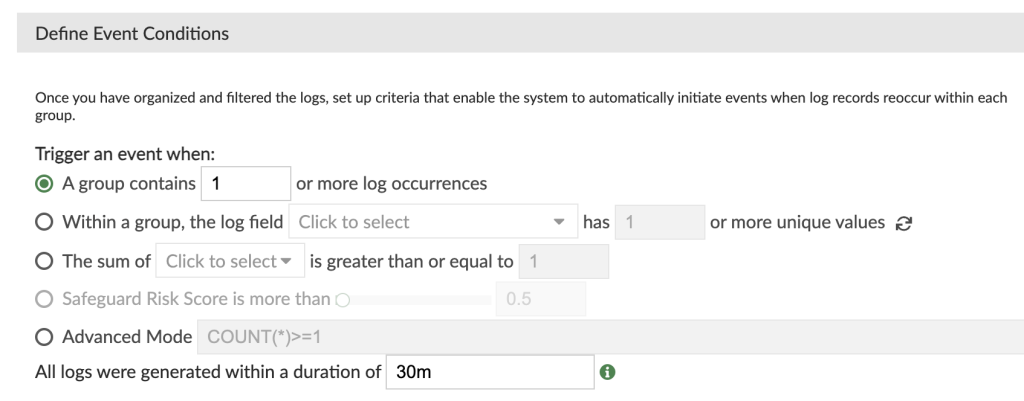
Finally, in the Event Conditions I chose to group logs that occur within 30 minutes under 1 event. This will reduce events in the Event Monitor.
The last step in creating the handler is to set up notification. I’ve chosen to send an email to myself with the log information, but it can also notify via SNMP. Playbooks can be built off the handler and enable even more notification options like creating a ticket in your IT ticket platform.

In FortiAnalyzer we can now view log in events in Incidents & Events > Event Monitor
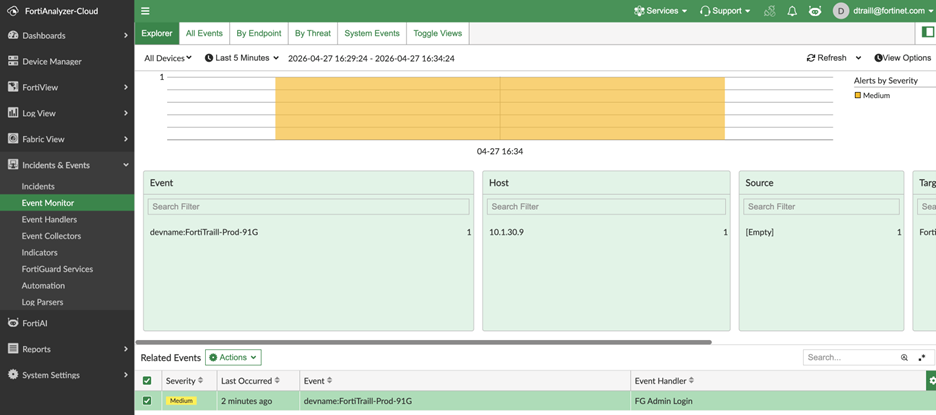
Double clicking on the event will reveal more information around the event.
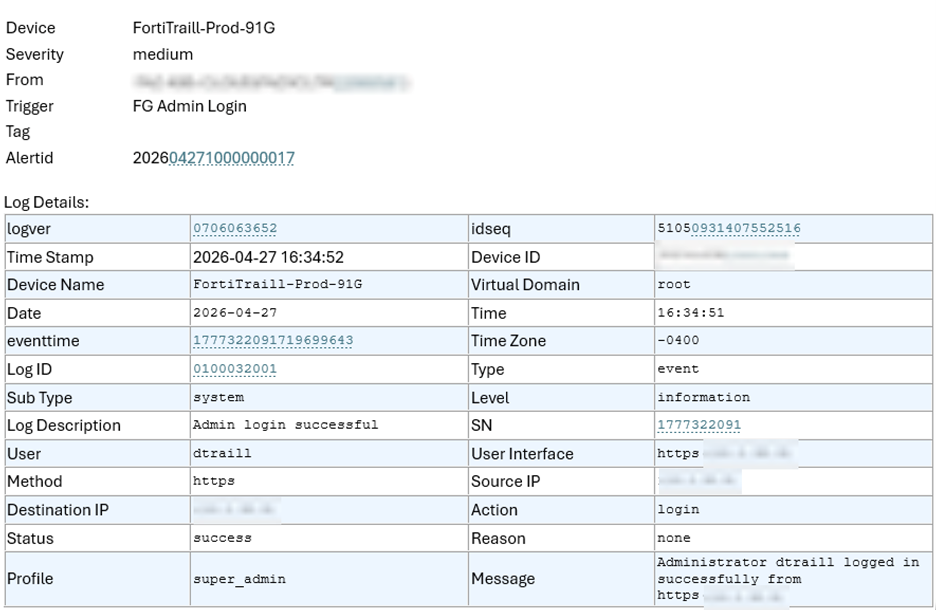
Here is the email I received to outline the event:
Stay tuned for future posts on detecting failed login attempts as well as configuration changes which are also vital for firewall administrators.